Open Lens
Click Make It Cinematic and pick one of 30 presets: lens, film grain, colour grade and frame shape change at once. Behind them are 53 lens profiles, 14 sensors, 11 film stocks and 24 LUT looks, plus WASD camera flying.
- Version
- 0.1.0
- Blender
- 5.0 or newer
- Engines
- Cycles & EEVEE
- License
- GPL-3.0
What it does
One click to cinematic
Make It Cinematic adds a camera if you have none and shows the result live in Rendered shading. Pick a preset and the lens, film, colour and frame shape change together.
Optics, not overlays
Vignetting is the real cos⁴ falloff of the lens field angle, so a 14 mm darkens its corners more than an 85 mm. Anamorphic squeeze stretches the bokeh and widens the view.
A real lens library
53 profiles in seven shelves, from modern primes and cine glass to vintage swirl, fisheyes, telephotos, anamorphics and toy cameras, on 14 sensor formats.
Film stocks and 3D LUTs
11 film stocks with grain and halation, and 24 built-in looks as real 3D LUTs in the compositor. Load your own .cube files or export any look for Resolve or Premiere.
Focus like a camera
Focus on the frame centre or the selection, with the sharp range and hyperfocal distance shown. Brightness follows f-stop, shutter and ISO.
Fly the camera
WASD, Q/E and the mouse move the scene camera like a drone, with smoothing, and Record keyframes the flight as you fly it.
Same camera, one click
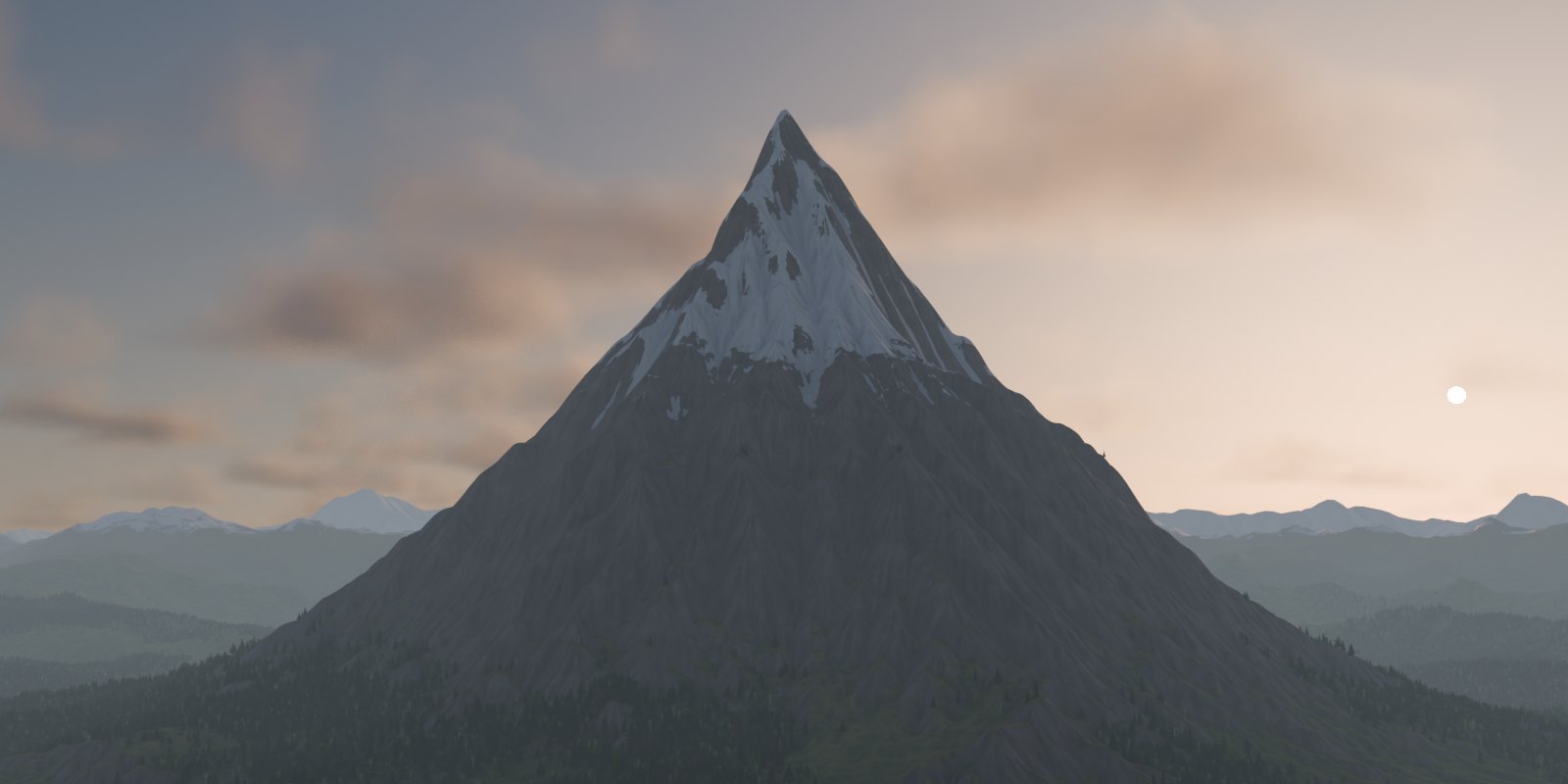
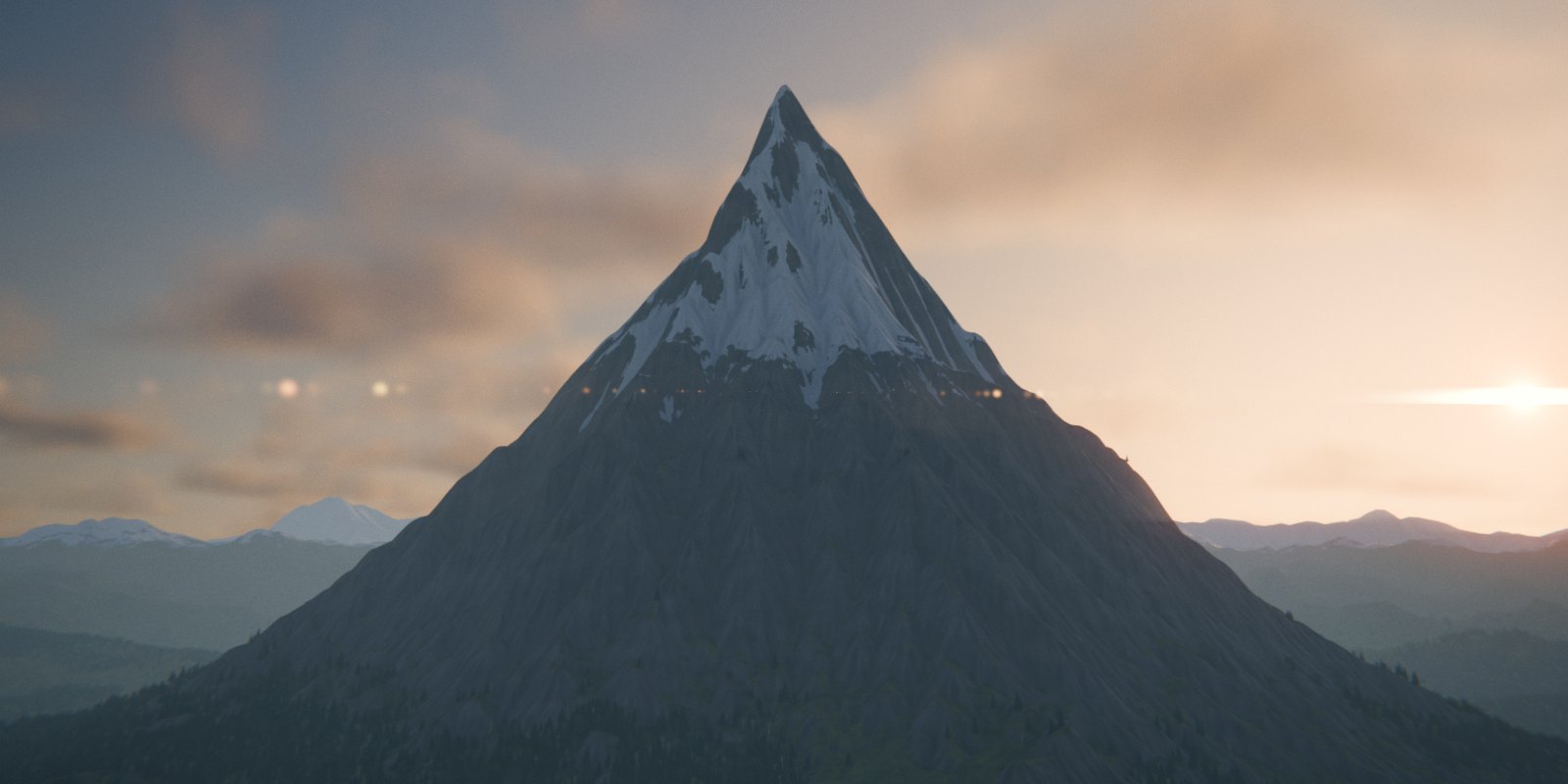
A plain Blender camera on the left. The same camera after Make It Cinematic and the Blockbuster preset on the right: anamorphic streak, flare ghosts, bloom, grain and a grade. Drag to compare.
One shot, eight presets
Blockbuster: Widescreen anamorphic glass: a blue-white streak through the sun, flare ghosts and a teal and orange grade. 70s Cinema: Old anamorphic glass on fast film: warm ghosts, soft contrast and grain. Western: Dusty sun, amber flare and faded warmth. Thriller: Cold, hard and desaturated. Home Movie: Super 8: a small sensor, heavy grain, glow and a warm fade. Film Noir: Black and white with hard contrast and a heavy vignette. Day for Night: The classic trick: a daylight scene graded into moonlit night. Infrared Dream: Surreal false-colour infrared.
Install in a minute
Download
Grab open_lens-0.1.0.zip from the Releases page. Keep it zipped.
Install from Disk
Edit → Preferences → Get Extensions, open the menu at the top right and choose Install from Disk.
Make it cinematic
Sidebar (N) → Lens. Click Make It Cinematic, pick a preset, then adjust Strength, Colour Grade, Background Blur and Grain.
Needs Blender 5.0 or newer, tested on 5.2 LTS. Windows, macOS and Linux.
How it works
Plain node groups you can open in the shader editor. This is the whole graph.
Camera custom properties ─► Open Lens node group (compositor) ─► To Display ─► 3D LUT ─► From Display
  lens, film, grade, frame      distortion · aberration · softness       look stage: packed strip
        │                       vignette · bloom · halation · streaks    images, two Map UV lookups
        │                       ghosts · grain · exposure · white balance
        ▼
Settings are keyed per frame before an animation render, so timeline markers switch
cameras (and looks) on the exact frame. Saved files render without the add-on.
Changelog
- v0.1.0
- First release: 30 presets, 53 lens profiles, 14 sensors and 11 film stocks
- 24 built-in looks as 3D LUTs, with .cube import and export
- Focus tools, readouts, aspect ratios and composition guides
- Camera flying with smoothing and flight recording; markers render on the right frame
Known limitations
- Effects run in the compositor, so renders need it enabled and the live preview uses Blender's viewport compositor.
- Only the scene camera shows in the compositor; use Make Scene Camera to switch.
- While a look is on, the compositor does the tone mapping and the scene view transform is set to Standard.
- Camera flying works best with an unparented camera.